
1a: Understanding the constraints and benefits of different technologies
My approach to selecting learning technologies is informed by an understanding that their educational value depends on their suitability for particular learners, pedagogical purposes and institutional contexts. While different technologies offer different possibilities, their successful adoption requires consideration of accessibility, usability, technical requirements and the demands placed on both learners and educators.
An example of this was my work as Course Coordinator for the Graduate Certificate in Learning Design (GCLD) at the University of Technology Sydney (UTS). The program catered primarily to working professionals, many of whom were balancing postgraduate study with employment and other responsibilities. This created an important design challenge: how could I provide opportunities for engaging, interactive learning without introducing unnecessary technological complexity?
I used Canvas as the central learning environment, supplemented by H5P and Genially for interactive content. These tools provided different capabilities, and their selection required consideration of the learning activities they could support (see table 1).
| Technology | Benefits | Constraints and considerations |
| Canvas | Established learning environment; central location for learning materials, communication and assessment | Native tools did not necessarily provide the variety of interactive experiences I wanted to develop; institutional limits blocked installing new tools |
| H5P | Supported structured interactive activities, including quizzes, flashcards and formative knowledge checks | Required authoring expertise; accessibility and functionality varied across content types; concerns about ‘fit’ within the rest of the learning environment |
| Genially | Supported visually rich, interactive presentations and exploratory learning experience | More complex interactions could introduce accessibility, navigation and usability challenges; time-consuming to design, and once designed, edit |
Table 1: Sample tools used in the GCLD.
This comparison illustrates the different purposes for which I employed these tools and my reflection upon their utility – and value to the course as a whole. For example, I came to realise that H5P was particularly suited to activities requiring learners to test their understanding and receive immediate feedback, while Genially offered possibilities for interactive exploration and presentation. Canvas provided a consistent environment through which students could access the learning activities, and I appreciated the white space, but it was also quite limited in terms of what it could do – although these limits were imposed by the institution, rather than Canvas itself.
Below is an example of a Genially I used in one of my subjects:
Figure 1: 5 ‘R’s Genially
I used Genially specifically for this kind of activity throughout the course. Although you can’t see it in the image above, in order to reveal the definition, you have to click on each of the 5 ‘R’s. This kind of interactivity was, I felt, important in ensuring that students didn’t just flick their eyes over the page, but actually had to engage in the content by interacting with it. Of course, it’s hardly perfect, but my thinking was that by building in these little interactions at every opportunity, it would have a cumulative effect.
Reflecting on these decisions, I recognise that interactivity is not inherently synonymous with effective learning. A visually sophisticated resource may be engaging, but it can also introduce unnecessary cognitive demands or accessibility barriers. The important consideration is whether a particular interaction contributes meaningfully to the intended learning outcomes. The use of multiple tools also creates additional demands for maintenance, support and consistency.
A second example arose during the COVID-19 pandemic, when teaching moved online. I used Zoom to maintain opportunities for synchronous discussion and interaction, while supplementing these sessions with asynchronous recordings and resources through Echo360. This was a response to differences in students’ internet connectivity, work commitments and capacity to attend scheduled sessions.
These technologies offered complementary benefits, but neither provided a complete solution. Synchronous sessions supported immediate discussion and interaction but could disadvantage students unable to attend. Asynchronous materials provided flexibility but did not necessarily reproduce the collaborative and responsive dimensions of live teaching – or allow students to ask and receive immediate feedback.
This experience reinforced the importance of avoiding technology selection based primarily on functionality or convenience. Instead, I increasingly approach selection as a process of identifying the learning activities that need to occur, evaluating how different technologies can support them, and considering the potential barriers they introduce. I also recognise the importance of testing activities from a learner’s perspective and ensuring that alternatives are available where particular modes of participation may be inaccessible.
1b: Technical knowledge and ability in the use of learning technologies
Throughout my career, I have developed technical expertise in a range of learning technologies, including learning management systems, interactive authoring tools, synchronous collaboration platforms, learning analytics and digital assessment technologies. This expertise has developed through a combination of professional learning, practical experimentation and the application of technologies within authentic educational contexts.
An important aspect of my approach is recognising that technical competence is not simply the ability to operate a particular tool. It also involves understanding its capabilities and limitations, identifying how it can support learning, and developing the confidence to troubleshoot problems and adapt its use when circumstances change.
In my work on the Graduate Certificate in Learning Design, I employed Canvas to structure learning activities and support communication, H5P and Genially to develop interactive content, Zoom to facilitate synchronous learning, and Padlet to encourage collaborative knowledge construction. For example, I designed assessment activities that involved students collaboratively developing multimedia presentations through Padlet. This required consideration of both the practical operation of the technology and how its collaborative features could support the intended learning outcomes.
I have also used learning analytics to inform decisions about teaching and student support. Canvas dashboards enabled me to examine patterns of student participation and progress, and to identify occasions where further support might be useful. For example, when analytics suggested that students were experiencing difficulties with asynchronous materials, I organised additional synchronous question-and-answer sessions. A visualisation of my work with analytics is below.
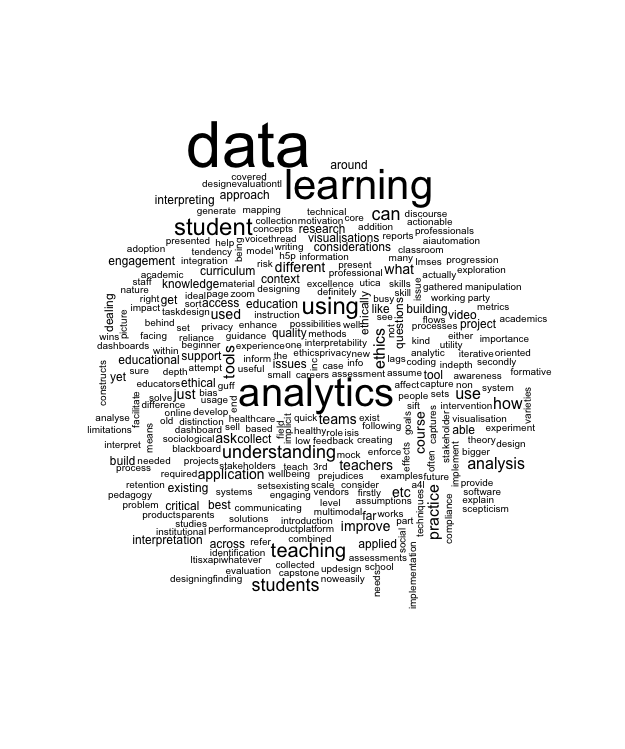
Figure 2: A word cloud based on sample student responses
I also experimented with OnTask, using learning analytics to support personalised communication with students, including video messages associated with their progression through course modules. The slideshow below was a presentation I made to Apple Distinguished Educators about the usefulness – and some of the challenges – involved in using this particular too.

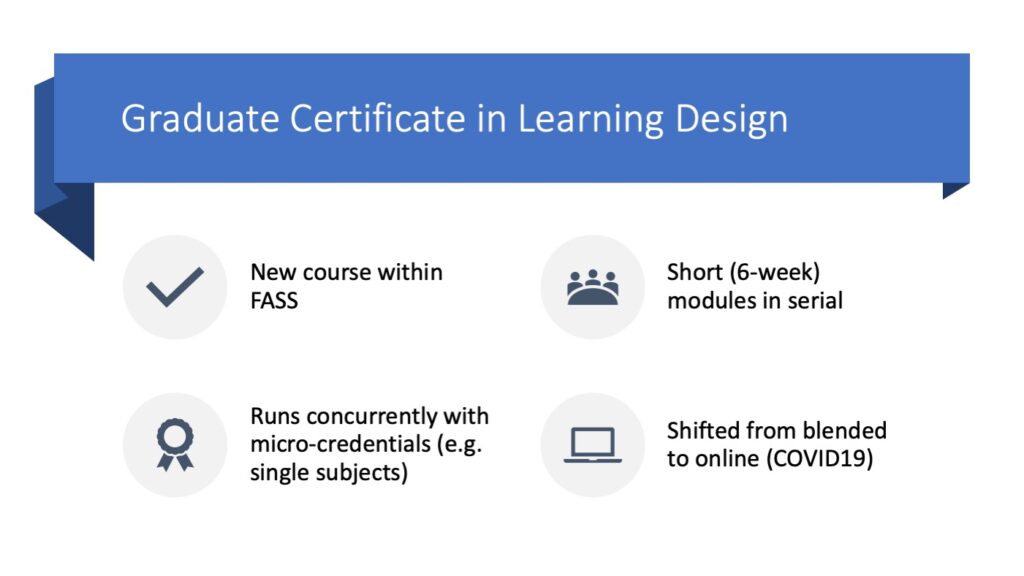
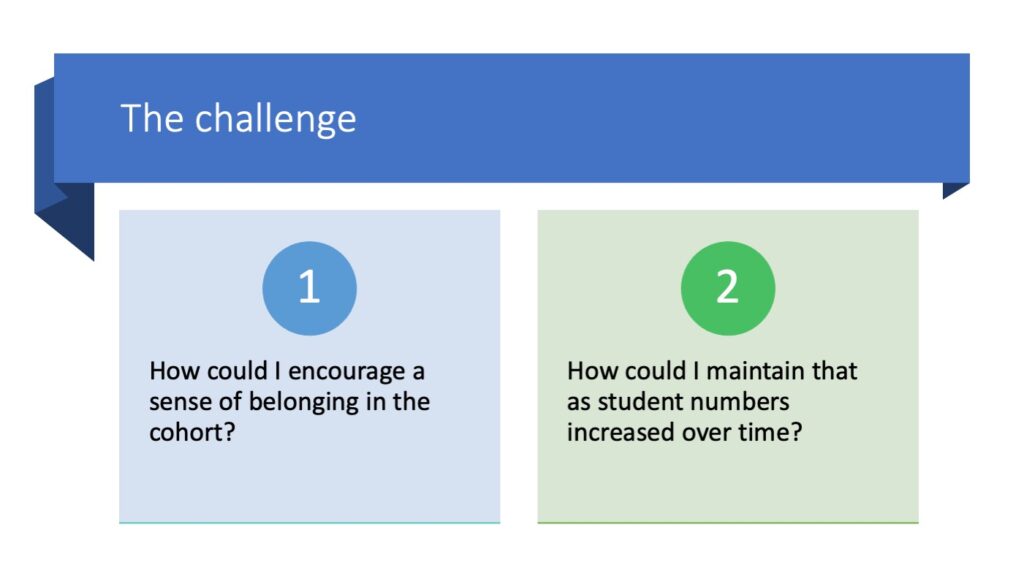
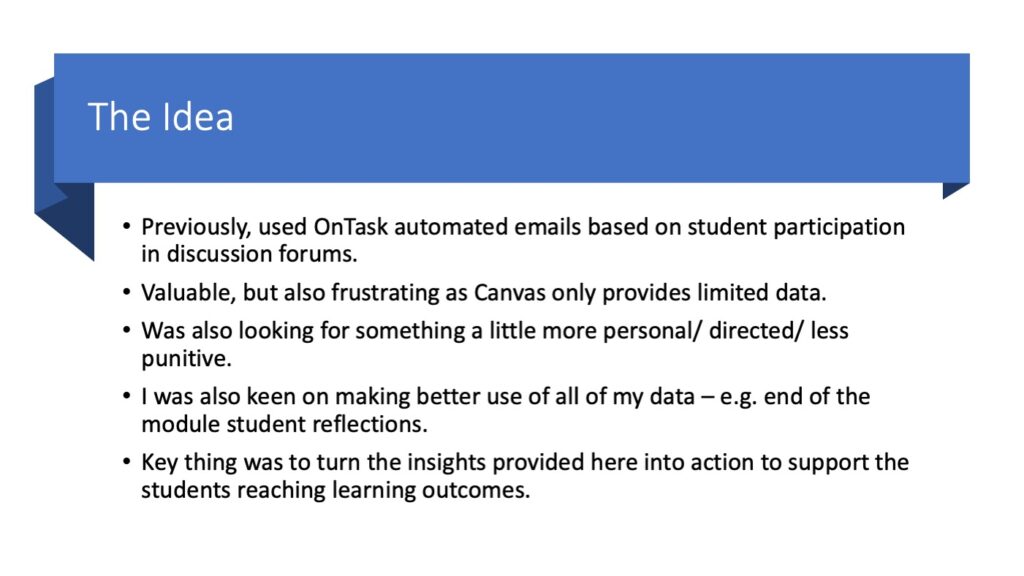
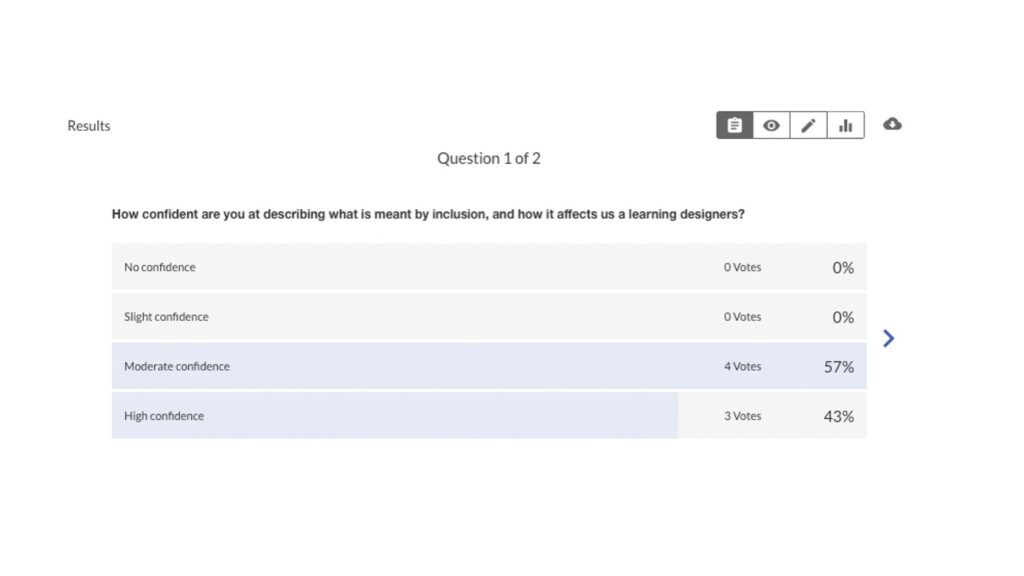
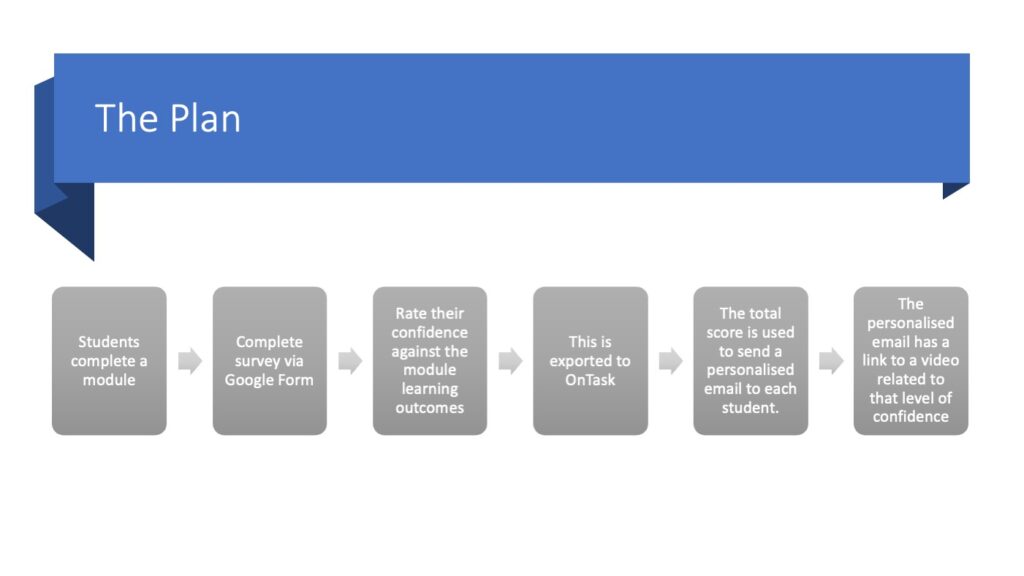
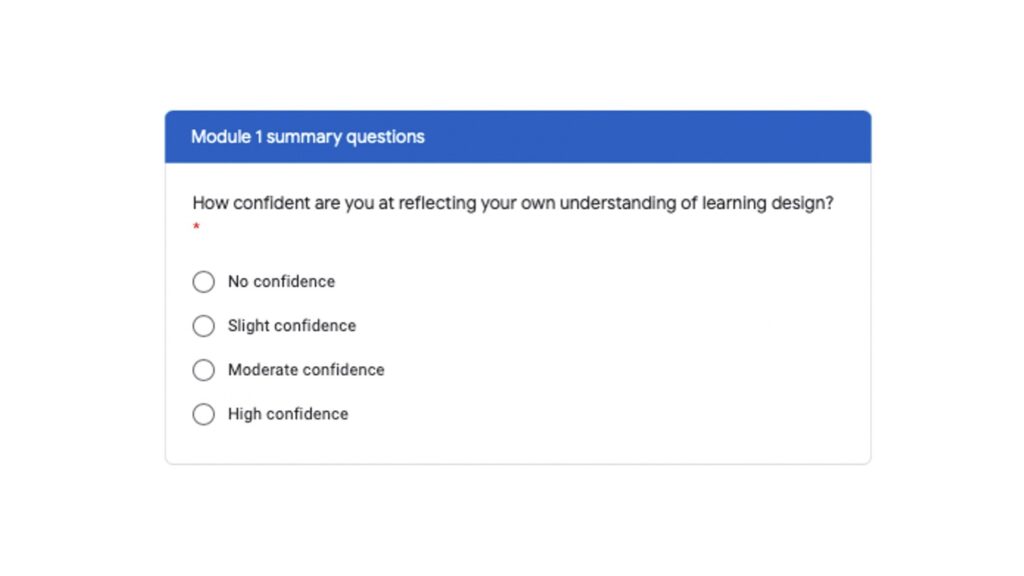
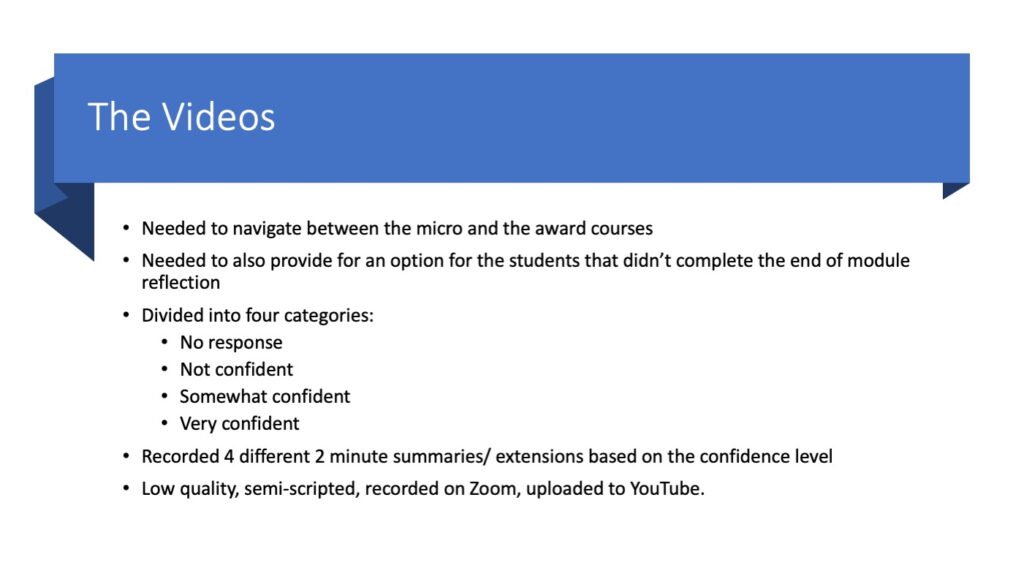
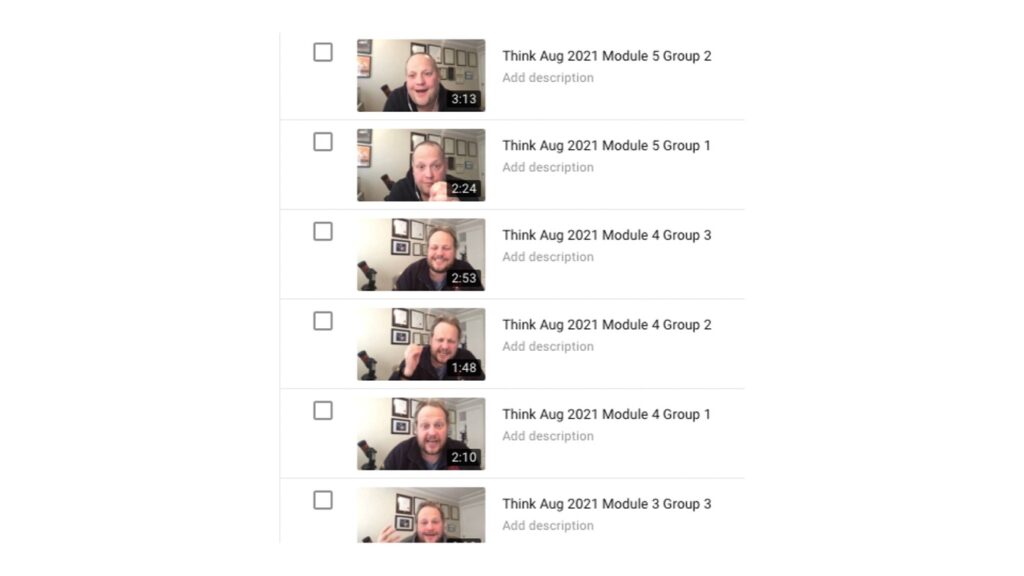
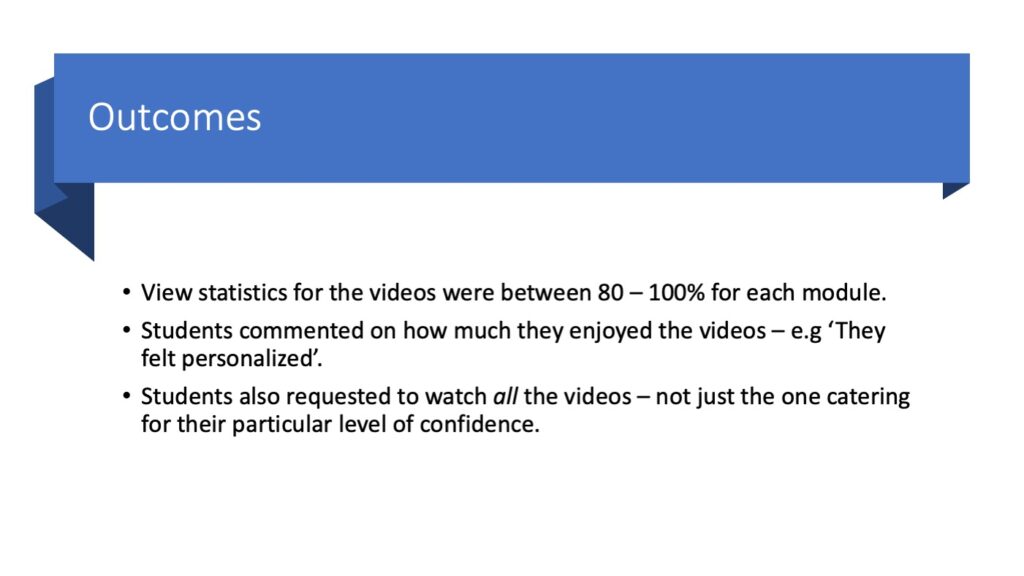
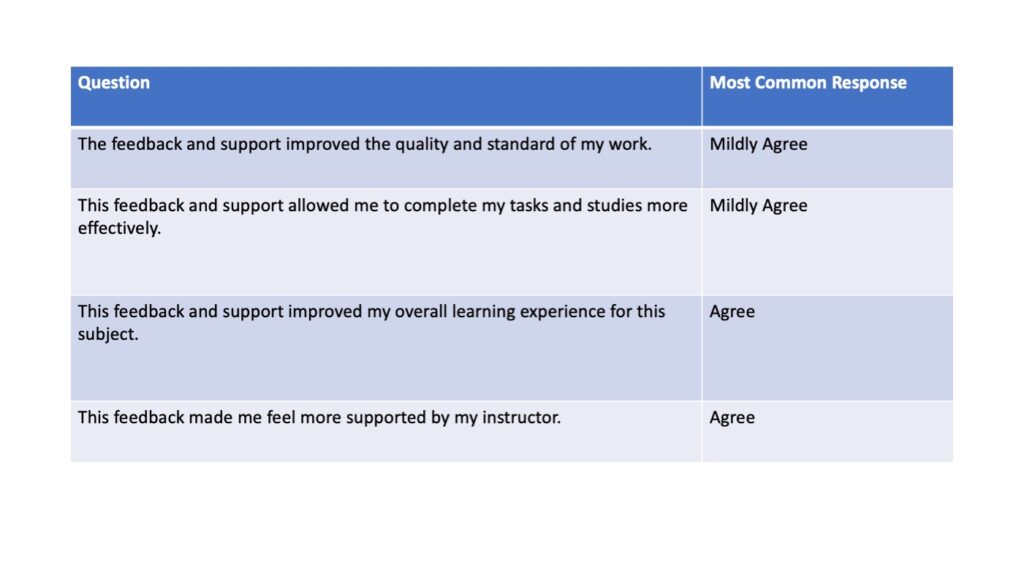
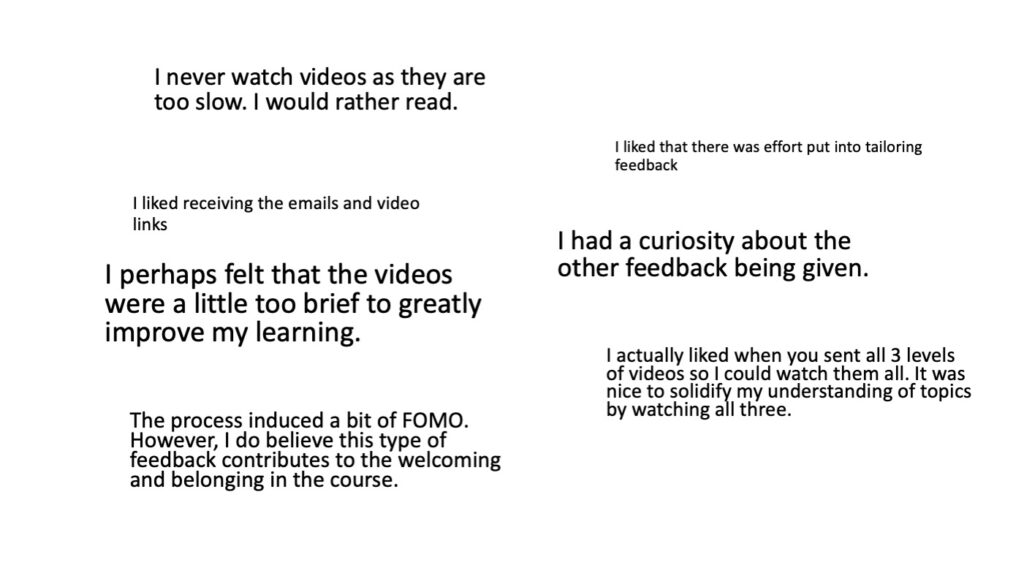
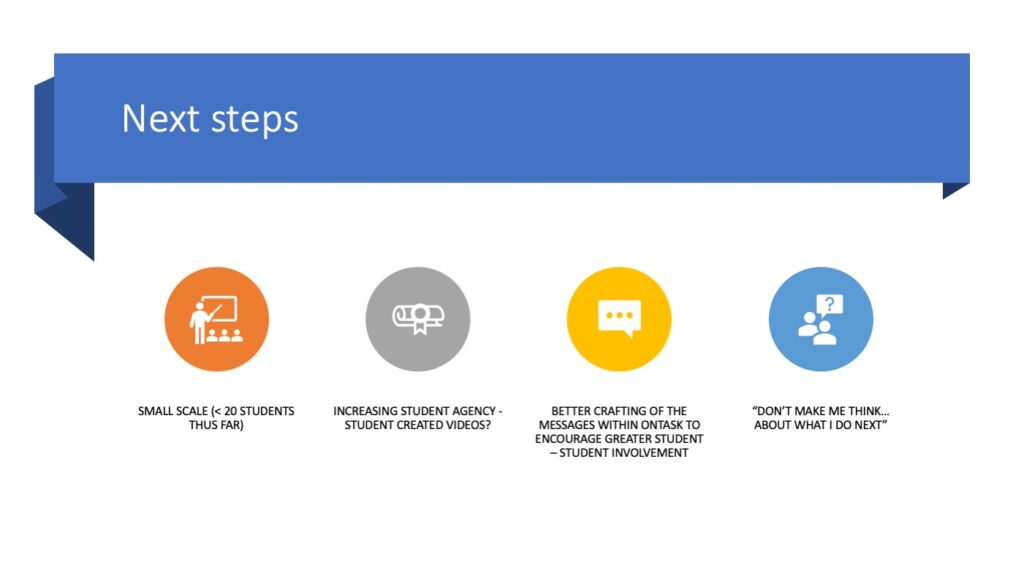
Figure 3: OnTask Slideshow
These experiences contributed to my understanding of both the possibilities and limitations of learning analytics. While participation data can identify patterns that warrant attention, it does not necessarily explain why a student is disengaged or experiencing difficulties. Correlation is not causation! I therefore regard analytics as a starting point for further inquiry and support, rather than as a definitive measure of learning and place it alongside other sources of knowledge, such as student and staff feedback.
My technical knowledge has also been developed through formal professional learning and certification, including qualifications in higher education teaching and professional recognition associated with educational technologies.
However, I have increasingly recognised the limitations of developing expertise predominantly in the use of established, user-facing educational tools. As learning technology becomes more closely connected with artificial intelligence, data analysis and automated decision-making, I believe it is important for educators and learning designers to develop a stronger understanding of the systems and data processes underlying these applications.
This has prompted me to undertake additional learning in areas such as machine learning, learning analytics and data visualisation, including introductory courses through the IBM Developer Skills Network.
One important challenge has been translating the relatively controlled examples used in introductory courses into the complexity of authentic educational data. While I have begun experimenting with data visualisation and network analysis, this work has also highlighted gaps in my understanding and the need for continued development.
My approach to maintaining technical currency therefore combines structured professional learning with independent experimentation and practical application. I am increasingly conscious that learning about a new technology is not the same as developing the expertise required to apply it responsibly and effectively. As part of this, I have gained numerous certifications:
- Senior Fellow of Higher Education Association (2024)
- Fellow of the Association of Instruction and Training Design (2024)
- Adobe Creative Educator, Level 2 (2020)
- Graduate Certificate of Higher Education Teaching and Learning (2020)
- Google Certified Innovator (2011)
- Apple Distinguished Educator (2009)
This recognition has shaped my ongoing professional development: rather than attempting to master every emerging technology, I seek to understand the underlying concepts, assess their relevance to educational practice, and progressively develop deeper expertise in areas where they may contribute to better learning design.
1c: Supporting the deployment of learning technologies
An important dimension of my professional practice has involved supporting other educators to adopt and use learning technologies. I regard successful technology deployment as more than a technical implementation process. It requires attention to professional learning, pedagogical practice, institutional expectations and the confidence of the educators expected to use the technology.
Between 2018 and 2020, I contributed to the deployment of the Canvas learning management system at UTS, working alongside learning designers and technology specialists from the university’s learning experience team. My particular contribution was to support academic staff in understanding how the transition to Canvas could create opportunities to reconsider and improve the design of their subjects, rather than simply transferring existing materials from the previous learning management system.
As part of this work, I supported approximately 15 academics from the School of International Studies and Education through three workshops and a further 12 academics from the Faculty of Law through two workshops. Each workshop lasted approximately three hours.
In the three-workshop sequence, the initial workshop introduced academics to Canvas and encouraged them to consider the relationship between the technology and their approach to teaching. Drawing on Laurillard’s (2013) work on blended learning, I guided participants through the process of considering how learning activities, student interaction and assessment might be designed within the new environment. Subsequent workshops provided opportunities for individual assistance, practical experimentation and refinement of subject designs.
Upon reflection, one of the principal challenges I encountered was encouraging academics to move beyond a focus on the content they needed to deliver and consider how students would experience and engage with that content; that is, to think about the learning management system less as a bookshelf (for storing resources upon) and more as a classroom (for learning to take place in). This was not simply a technical challenge; it involved helping colleagues reconsider familiar teaching practices and assumptions about learning. The best way I found to do this was by using feedback from students. I also encouraged staff to make use of various tools to help them understand what it was like to experience the site as someone with an accessibility need. The most popular of these was the Web Disability Simulator which would allow users to experience poor vision!
Another approach I found particularly valuable was using the Student View functionality in Canvas. I asked academics to navigate one another’s subjects as though they were students, considering the clarity of instructions, ease of navigation, sequence of learning activities and opportunities for interaction. This created a practical way of making the learner experience visible. Rather than relying solely on abstract explanations of student-centred learning, colleagues could encounter the design of a subject from a different perspective and identify potential improvements themselves.
Reflecting on this experience, I consider this approach more valuable than simply demonstrating Canvas functionality. While technical instruction helped participants understand how the platform operated, experiencing their subject from a student’s perspective provided a reason to reconsider how they used it. The workshops also reinforced the importance of adapting support to different levels of confidence and expertise. Introducing functionality was only one stage of the process; academics also needed opportunities to experiment, ask questions, apply what they had learned to their own subjects and receive individual guidance.
Working alongside learning designers and technical specialists also highlighted the different kinds of expertise involved in a learning technology deployment. Pedagogical knowledge, technical knowledge and understanding of institutional systems are complementary, and effective implementation requires these perspectives to be brought together.
I subsequently drew on this experience when supporting colleagues transitioning to online teaching during the pandemic. This included workshops on Canvas and Zoom, guidance on using Turnitin for digital assessment and feedback, and individual support for incorporating Padlet, Genially, H5P and OnTask into teaching. A key lesson from these experiences is that supporting technology adoption requires more than explaining what a tool can do. Educators need to understand why they might use it, experience its potential within a relevant educational context and have opportunities to develop confidence through supported practice.
I also recognise a limitation in my original approach to documenting this work. Although I delivered workshops and provided individual support, the evidence currently presented does not establish their longer-term impact on participants’ teaching practices. More systematic collection of participant feedback, review of revised subject designs and follow-up evaluation would have enabled me to demonstrate outcomes more convincingly. This has reinforced the importance of evaluating technology deployment not solely through participation in professional learning activities, but through examining how the technology is subsequently used and whether it contributes to meaningful improvements in teaching and learning.